How to download your voter ID card (e-EPIC) online — with EPIC or Form 6 reference number, e-KYC if your mobile isn’t registered, and getting a new or replacement card
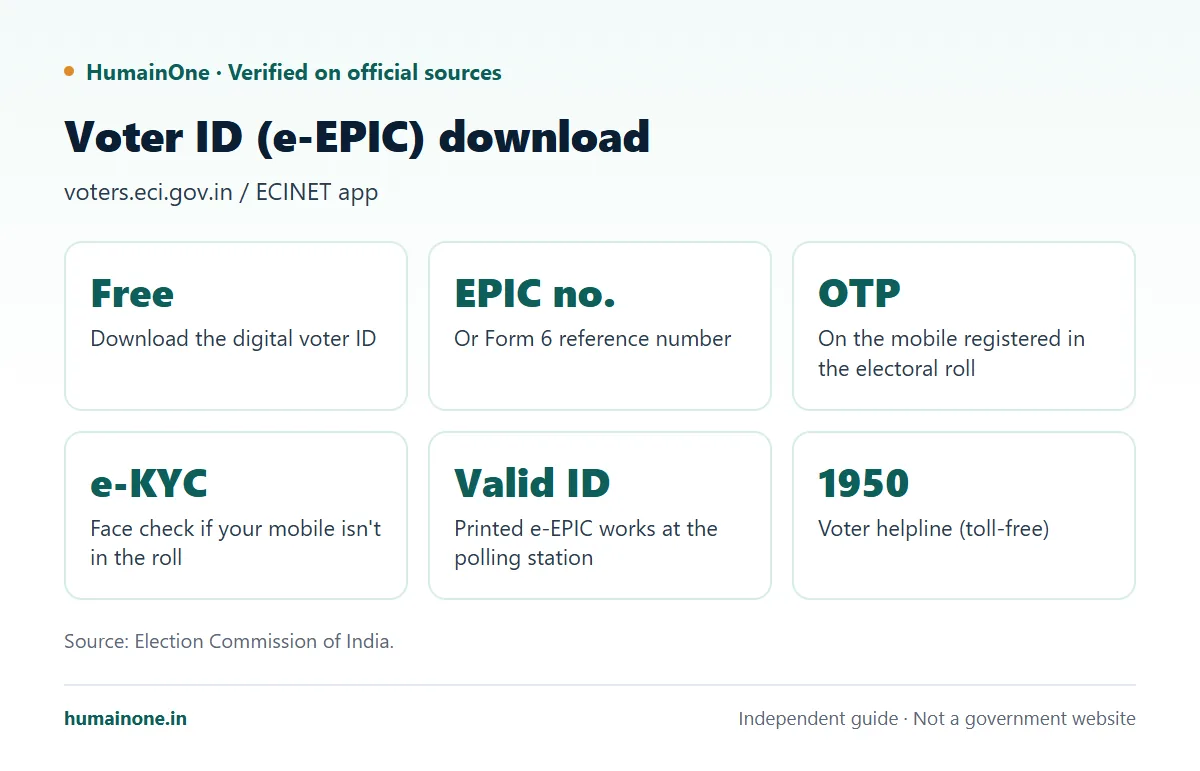
Log in to voters.eci.gov.in (or the ECINET app) with your mobile, open E-EPIC Download, enter your EPIC (voter ID) number or Form 6 reference number, verify with the OTP sent to the mobile registered in the electoral roll, and download the PDF. If your mobile isn’t registered in the roll, choose e-KYC: a short face liveness check with your camera, then update your mobile and download. The e-EPIC is free, can be printed and shown as ID at the polling booth. For a new plastic card, file Form 6 (new voter) or Form 8 (correction/replacement); ECI aims to deliver EPICs within 15 days of the roll update.
Key facts Last verified: 22 Nov 2026
| Item | Details | Source |
|---|---|---|
| Where to download | voters.eci.gov.in → E-EPIC Download (“Get digital version of your Electoral Photo Identity Card”); ECINET mobile app | Election Commission — Voters’ Service Portal |
| What you need | EPIC number or Form 6 reference number + OTP on the mobile registered in the electoral roll | ECI e-EPIC FAQ (CEO Goa) |
| Mobile not in roll | e-KYC: face liveness check, update mobile, then download; if e-KYC fails, visit ERO office with photo ID | ECI e-EPIC FAQ (CEO Goa) |
| Use at polling station | Printed e-EPIC can be shown as proof of identity | ECI e-EPIC FAQ (CEO Goa) |
| New / corrected card delivery | EPIC delivered within 15 days of update in the roll, with SMS at each stage | PIB — ECI, 18 Jun 2025 |
| Forms | Form 6 new voter; Form 8 correction, shifting, replacement EPIC, PwD marking | Voters’ Service Portal |
| Helpline | 1950 (toll-free) | Election Commission |
Rohit, a first-time voter from Chhatrapati Sambhajinagar, filed Form 6 during the voter list revision. His name is now in the roll, but the plastic card hasn’t reached his hostel. He doesn’t need to wait: with his Form 6 reference number he can download the e-EPIC PDF on his phone, print it, and use it as ID.
Download e-EPIC: step by step
- Open voters.eci.gov.in (or the ECINET app) and log in with your registered mobile, email or EPIC number and OTP. New user? Sign up with your mobile first.
- Tap E-EPIC Download.
- Enter your EPIC number (printed on your voter card) or your Form 6 reference number if you are a new voter.
- Verify with the OTP sent to the mobile number registered in the electoral roll.
- Tap Download e-EPIC. Save the PDF (about 250 KB) on your phone, in DigiLocker, or print it.
Don’t know your EPIC number? Use Search Your Name in Voter List on voters.eci.gov.in (search by details, EPIC or mobile). Your EPIC number appears in the result. Maharashtra voters can also check the SIR 2026 draft roll — see name missing in SIR 2026.
Mobile number not registered in the voter list? Do e-KYC
Most problems happen here: the OTP goes to the mobile in the electoral roll, and many voters never gave one.
- On the E-EPIC Download screen, choose e-KYC.
- Allow the camera. The face liveness check asks you to make random movements; it captures a live photo and compares it with the photo in your voter record.
- Update your mobile number to complete KYC.
- Download e-EPIC.
You need a phone or tablet with a camera, or a laptop with a webcam. Several family members can use one mobile number — each person does their own e-KYC against it.
If e-KYC fails (poor light, old photo), visit the Electoral Registration Officer (ERO) office with photo ID to update your mobile, or ask your BLO — use Book a Call with BLO on the portal.
Need the physical card instead?
| Your situation | What to file | Where |
|---|---|---|
| New voter (18+ on the qualifying date) | Form 6 | voters.eci.gov.in / ECINET / BLO |
| Card lost or damaged — need a replacement | Form 8 (replacement EPIC) | voters.eci.gov.in / ECINET |
| Wrong name, photo, date of birth, address | Form 8 (correction) | voters.eci.gov.in / ECINET |
| Shifted house (same or another constituency) | Form 8 (shifting) | voters.eci.gov.in / ECINET |
| Link Aadhaar (voluntary) | Form 6B — see voter ID–Aadhaar link | voters.eci.gov.in |
Under ECI’s procedure, a new or updated EPIC is delivered by post within 15 days of the change in the roll, and you get SMS updates at each stage. Track your form with Track Application Status on the portal.
e-EPIC vs plastic card
| e-EPIC (PDF) | Plastic (PVC) EPIC | |
|---|---|---|
| Cost | Free | Free when issued with Form 6 / Form 8 |
| Time | Download immediately once your name is in the roll | Post, within about 15 days of roll update |
| Valid as ID at polling booth | Yes (printed or shown) | Yes |
| Where to keep | Phone, DigiLocker, printout | Wallet |
Voter registration and e-EPIC are free. Use only voters.eci.gov.in, the official ECINET app, your BLO or the ERO office. Don’t pay agents or “voter card” websites, and never share an OTP with a caller who claims to be from the election office. See how to spot a real government website.
Frequently asked questions
How can I download my voter ID card online?
Log in to voters.eci.gov.in or the ECINET app, open E-EPIC Download, enter your EPIC number or Form 6 reference number, verify the OTP on the mobile registered in the electoral roll, and download the PDF.
Can I download e-EPIC without an EPIC number?
Yes. New voters can use the Form 6 reference number. Otherwise find your EPIC number with Search Your Name in Voter List.
My mobile number is not registered with my voter ID. How do I download e-EPIC?
Choose e-KYC on the download page, pass the face liveness check with your camera, update your mobile number, and then download. If e-KYC fails, update the number at the ERO office with photo ID.
Is a printed e-EPIC valid for voting?
Yes. A printed e-EPIC can be shown as proof of identity at the polling station.
How do I get a replacement voter ID card?
File Form 8 (replacement EPIC) on voters.eci.gov.in or the ECINET app. ECI aims to deliver the card within 15 days of the roll update, with SMS updates.
Is there a fee for e-EPIC or a new voter card?
No. Downloading e-EPIC and filing Form 6 or Form 8 are free.
Official links
Use only these government websites. HumainOne is not connected to any of them.
- Voters’ Service Portal (ECI)E-EPIC download, Form 6/8, track status, search name
- e-EPIC FAQs (ECI, via CEO Goa)Steps, e-KYC, eligibility
- PIB — EPIC within 15 daysNew delivery procedure
- Voter helplineCall 1950 (with your STD code)
Disclaimer: HumainOne is an independent information website. We are not affiliated with UIDAI, the Income Tax Department, EPFO, NPCI, the Election Commission, the Government of Maharashtra or any government body. We do not accept applications, documents or fees. Information is checked against official sources on the date shown but rules change — always confirm on the official website before acting. Calculators give estimates, not official figures, and this is not tax or legal advice.